Path Tracer Progress Part 1
Introduction
Path tracing is a powerful technique for generating photorealistic images by simulating the behavior of light. Previously, I worked on a path tracing project using TypeScript and WebGPU. However, as the project advanced, I realized that I needed to leverage more sophiscated libraries, leading me to reimplement the project in C++. In this post, I will discuss the progress I have made with the C++ version of the path tracer and the new features I have implmented.
The Decision to Move to C++
The decision to switch to C++ was primalrily driven by the desire to utilize powerful libraries like OpenVDB and Intel Open Image Denoise. These libraries are essential for implementing advanced features such as volume rendering and denoising. Developing the application in C++ from the outset allowed me to avoid unnecessary technical challenges and focus on efficiently integrating these libraries.
Demo
Below is a demonstration of the path tracer in action.
Here, you can see a comparison between the rendering results from my path tracer and those from Blender. While there are still some minor differences, the overall results are quite similar, indicating that tha path tracer is functioning correctly.
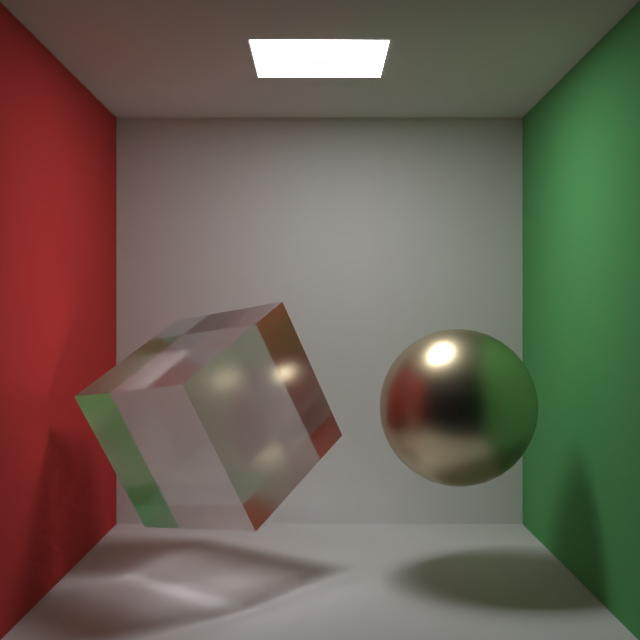
My Path Tracer
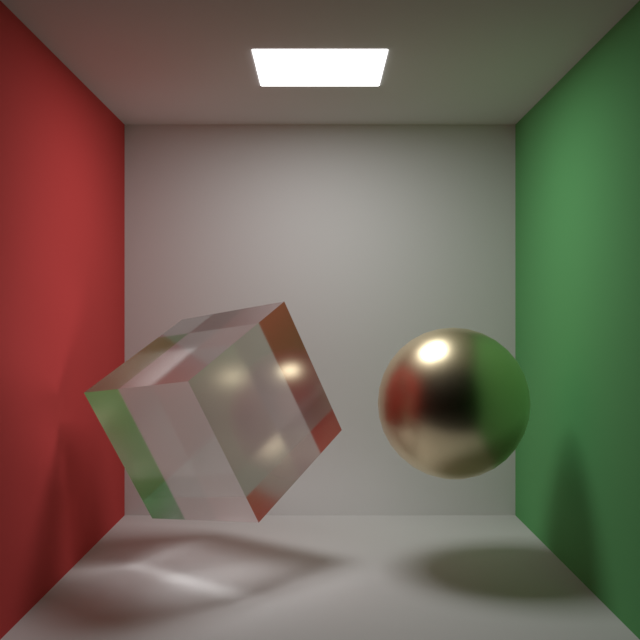
Blender
Implemented Features
As of now, the C++ version of path tracer includes the following features:
3D Scene Preview with OpenGL
You can easyily interact with the scene by cliking on objects to move, rotate, scale them or change their materials.
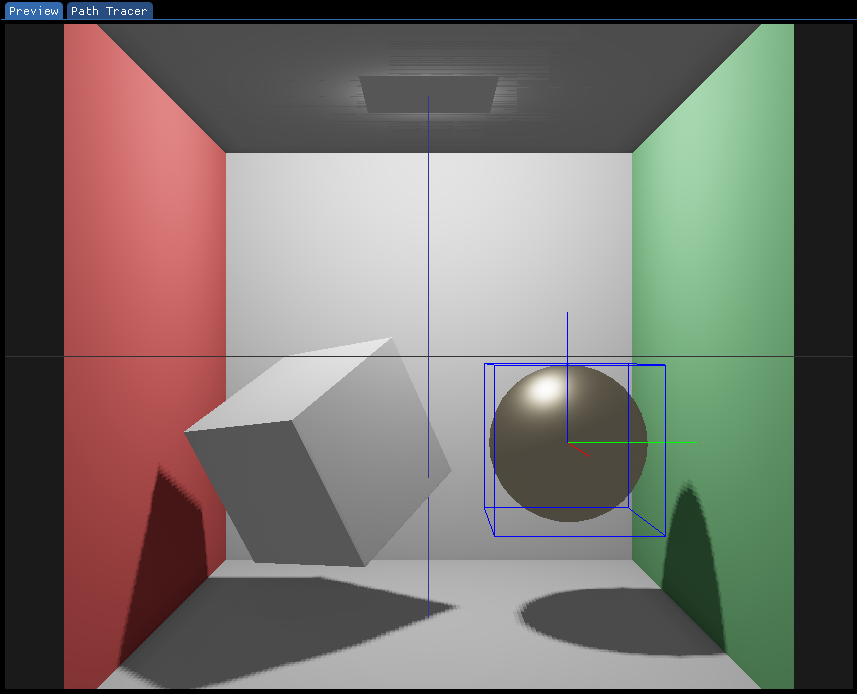
Debug Display
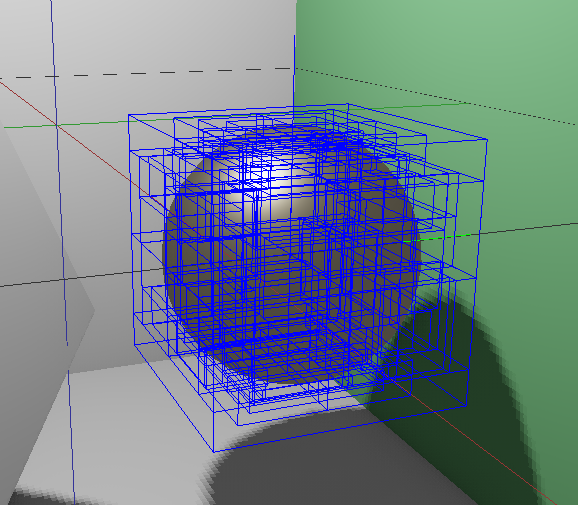
I’ve added a debug display feature that overlays the rendererd scene with wireframes, BVH (Bounding Volume Hierarchy), and local axes. This makes it much easier to debug issues related to mesh geometry.
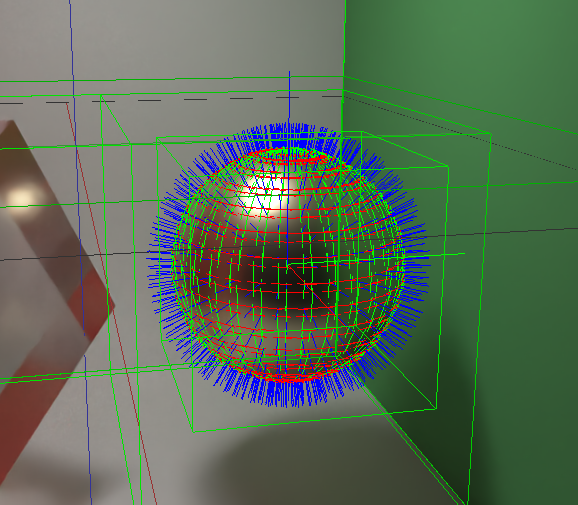
Multithreaded Path Tracing on the CPU
While the previous version used WebGPU for GPU-based path tracing, the new implementation performs path tracing on the CPU using C++. Wriring CPU-focused code in C++ is easier to debug, so I plan to stick with this approach for now. Once the implementation is more mature, I intend to add GPU path tracing using WebGPU.
Loading 3D Scenes from USD Files
The path tracer now supports loading 3D scenes from USD files using the OpenUSD library.
BVH Construction Based on Surface Area Heuristic
Detecting collisions between rays and the many triangles that form complex 3D objects is a computationally expensive task. In scenes with a high number of triangles, these intersection tests can become a significant bottleneck in the rendering process. To optimize this, I implemented a Bounding Volume Hierarchy (BVH).
BVH work by organizing the triangles into a hierarchy of bounding boxes before rendering begins. During rendering, the algorithm first checks for intersections between the rays and the larger bounding boxes at the top of the hierarchy. If a ray does not intersect a bounding box, the algorithm can skip testing all the smaller, nested boxes within it. This approach minimizes unnecessary calculations, allowing the renderer to quickly determine which parts of the scene a ray actually intersects , leading to faster rendering times.
Support for OpenPBR Materials
OpenPBR, released in June this year, is a surface shading model specification designed to become a new standard in the CG insdustry. It was developed based on the Autodesk Standard Surface and Adobe Standard Material models, with the goal of providing a common interface for physically-based rendering.
In my path tracer, I aim to conform to OpenPBR’s parameters. Currently, I’ve implemented only a subset of these parameters, but my goal is to achieve full support in future development.
Denoising with Intel Open Image Denoise
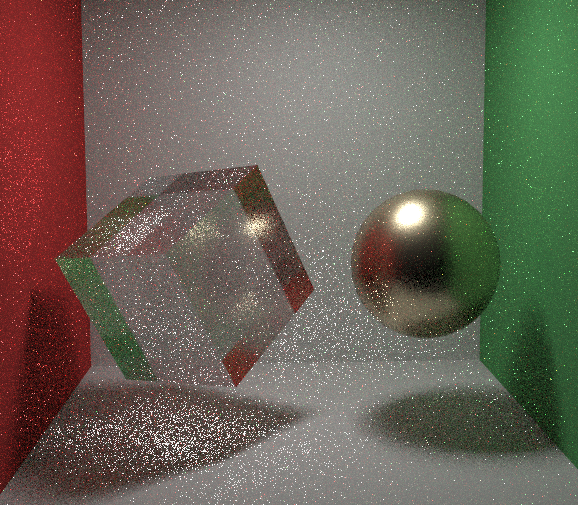
Path tracing solves the light transport equation using Monte Carlo integration to produce photorealistic images. However, because Monte Carlo methods rely on probabilistic integration, using too few samples can lead to high variance, which manifests as noise in the rendered image. This phenomenon can be explained mathematically.
To compute an expected value $I$ using Monte Carlo integration, the following average is calculated:
\[I \approx \hat I_N = \frac{1}{N} \sum_{i=1}^N f(x_i)\]Where $N$ is the number of samples, and $f(x_i)$ represents the evaluation of light transport at a single sample point within a pixel.
The standard deviation $\sigma_N$ of the Monte Carlo estimate is related to the variance $\sigma^2$ of $f(x_i)$ as follows:
\[\sigma_N = \frac{\sigma}{\sqrt N}\]Since the standard deviation $\sigma_N$ is inversely proportional to the square root of $N$, reducing noise by half requires increasing the number of samples by a factor of four. This relationship shows that the computational cost required to reduce noise grows exponentially.
In some cases, producing a noise-free image may require tens of even hundrends of thounsands of samples, which is why path tracing can be time-consuming.
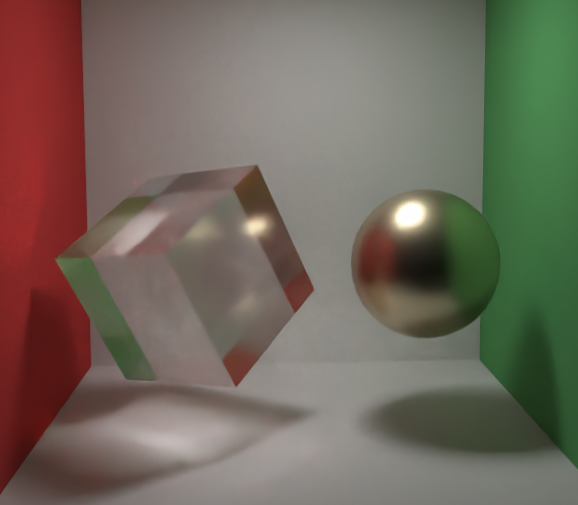
To addres this challenge, a technique known as denoising has become popular in recent years. Denoising takes a noisy rendered image as input and produces a noise-free output. This technique allows for high-quality images to be generated in less time. For this project, I used the Intel Open Image Denoise library, which is also used in Blender. As shown in the images below, applying Open Image Denoise to a noisy rendered image results in a clean image in a short amount of time.
Before Denoise
After Denoise
Next steps.
The next major focus of this project is to implement volume rendering. I have already completed the implementation for rendering homogeneous media enclosed by a mesh. The upcoming tasks include loading data from VDB files and rendering heterogeneous media. Additionally, I’m preparing to implement GPU-based path tracing using WebGPU in C++.